Bearing internal data can be provided to other users of the software by using encrypted databases. To generate an encrypted database first all required data is defined in the default database. The bearing IDs have to be in the range 100'000 to 1'100'000.
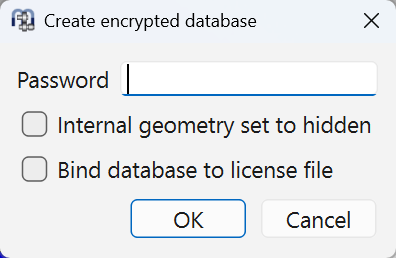
Using "Create encrypted database" a filename for the database can be selected and the following dialog is shown:
 r
r
For databases where an entry "path_manufacturer" is supported under "[importdatabases]" a default password would be "key-manufacturer" . Other passwords would have to be added as "password_manufacturer" in mesys.ini.
If "Internal geometry set to hidden" is selected, the column "mode" is set to 2 to keep the internal geometry hidden in the encrypted database.
Setting "Bind database to license file" can be used to bind the database to the license file of the software, so than only internal users can access the data.